
Comparison
Stop managing remote work in Excel. There's a better way.
A shared file doesn't update itself. WORQO does — one click, by each team member, on any device.
No credit card required • Instant migration
1-click update, not 15 steps
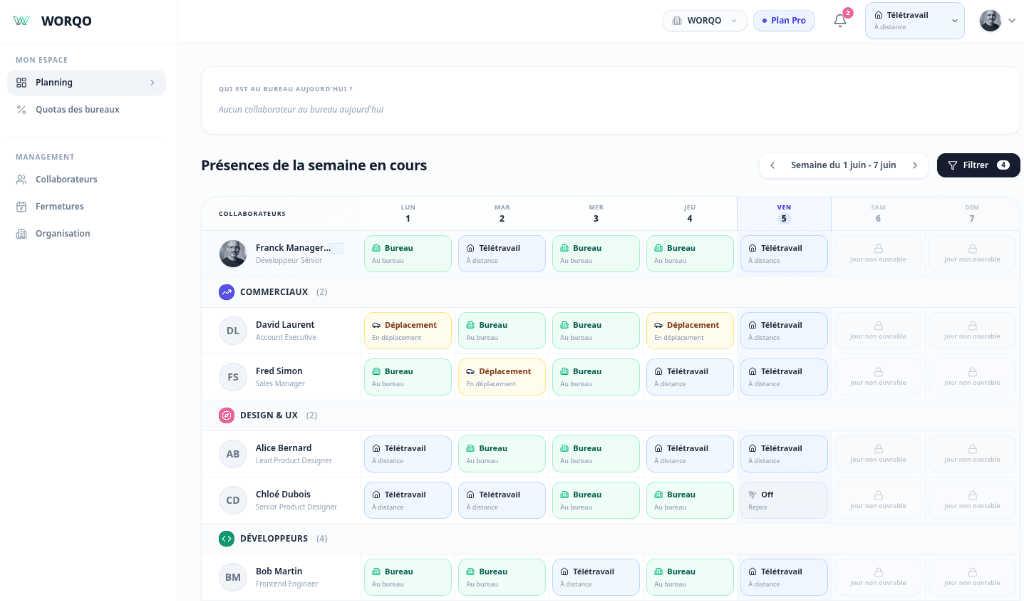
With Excel, updating your status means opening the file, finding your row, typing in the right cell, saving, and sharing. With WORQO: one click from any device. office team presence
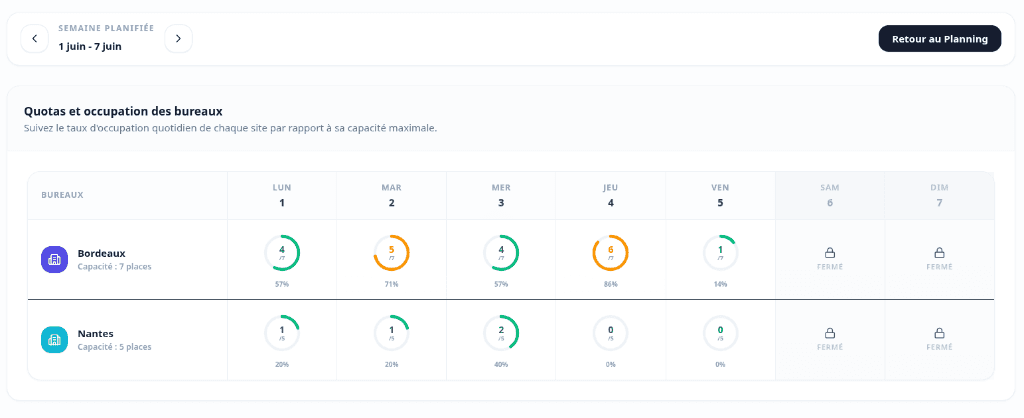
Capacity alerts, without formulas
Tracking office capacity in Excel requires complex formulas that break whenever you reorganize. WORQO calculates and alerts automatically when a threshold is reached.
Why stop using Excel to manage remote work?
An honest comparison between spreadsheets and a dedicated tool.
| Fonctionnalité | Excel / Sheets | WORQO |
|---|---|---|
| Real-time updates | ||
| Mobile-friendly | ||
| Automatic office capacity calculation | ||
| Overcapacity alerts | ||
| Team invitation by link | ||
| Configurable presence rules | ||
| No formulas to maintain | ||
| Presence history |
Go further
Explore other aspects of WORQO
Team presence
Who's in the office today?
Remote work management
Rules, policies and team alerts
FAQ
Frequently Asked Questions
Centralize your team's presence in minutes with WORQO
Create your WORQO workspace for free. No commitment. No payment required.
Up to 10 free users
2-minute setup
No credit card required