Comparison
Managing remote work in Excel never lasts
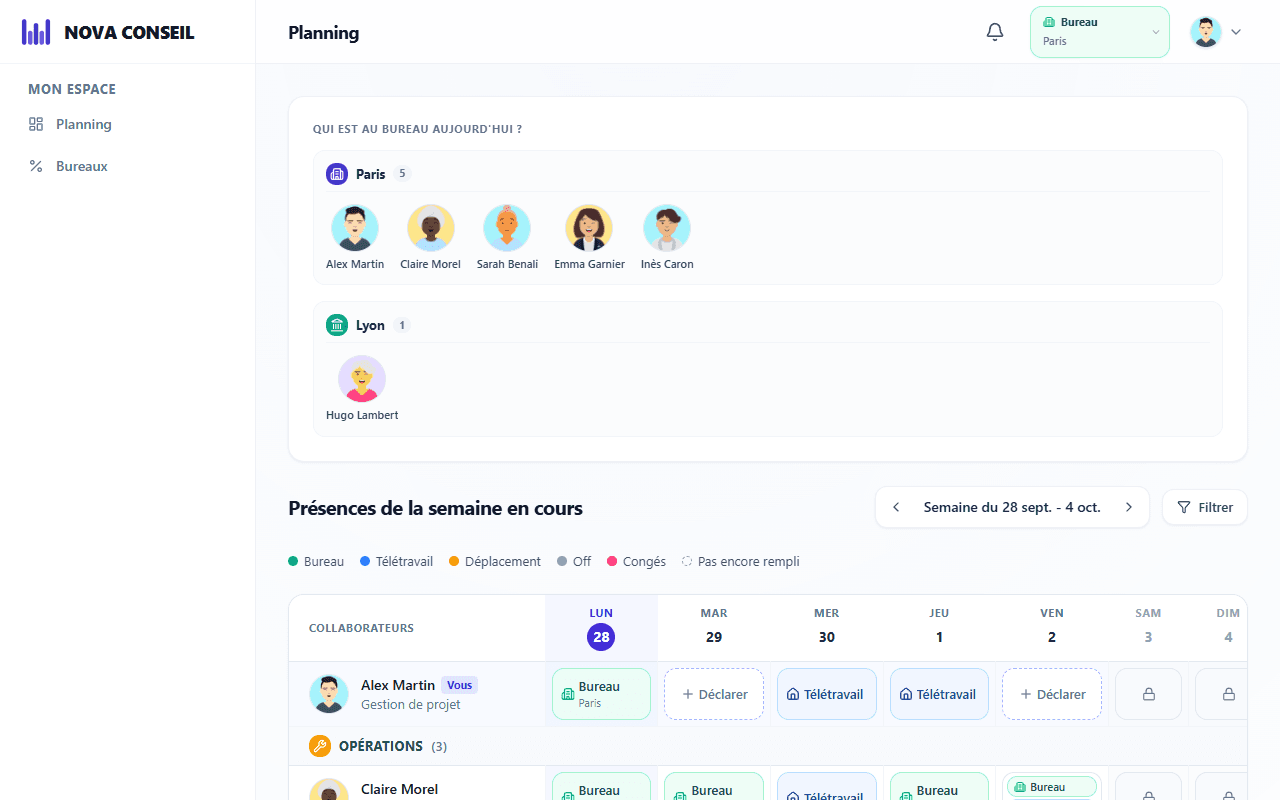
A shared file doesn't fill itself in. In WORQO, everyone updates their week in one click, on a computer or a phone.
No credit card. Nothing to import.
One click instead of five steps
With a spreadsheet, you open the file, find your row, fill in the right cell and save. With WORQO, one click is enough, from any device. team office attendance
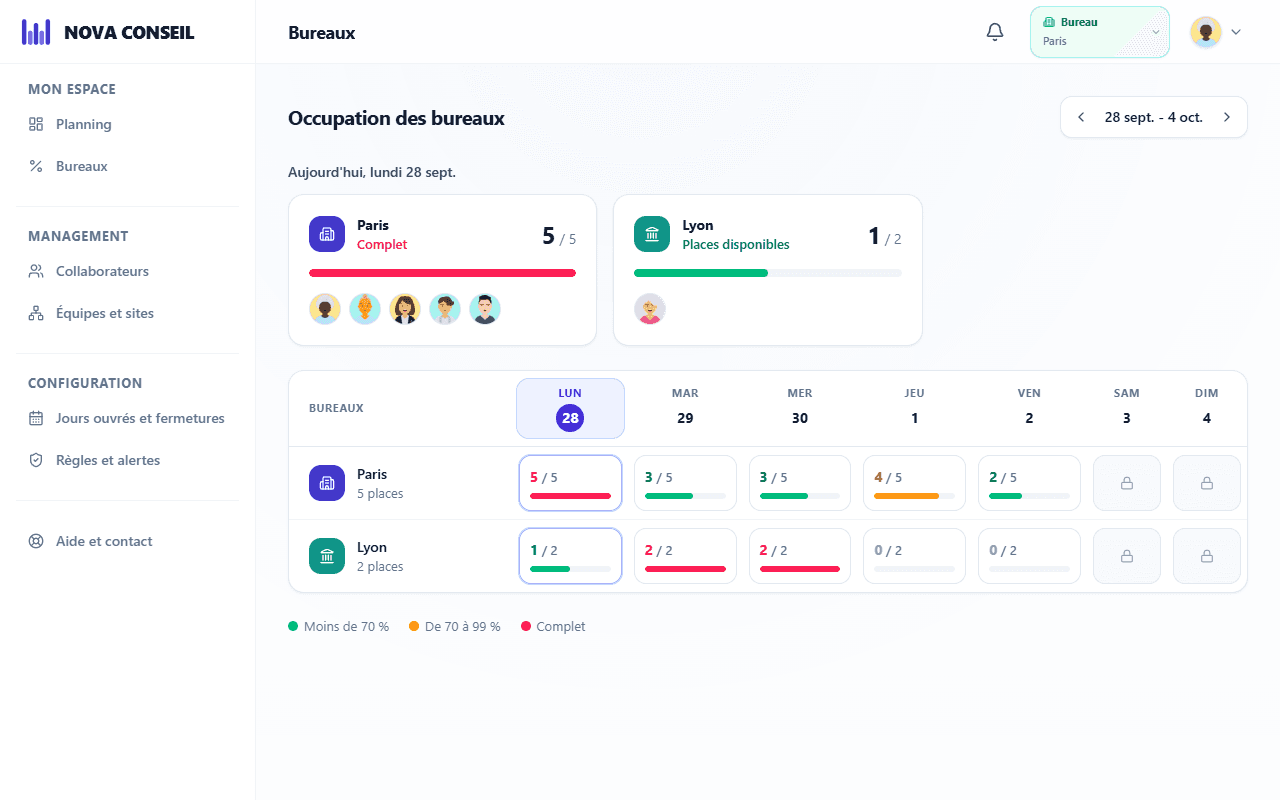
Capacity worked out for you
In a spreadsheet, counting attendance takes formulas that break at the first change. WORQO does the math and warns you as soon as an office fills up.
Spreadsheet or WORQO: the comparison
What changes day to day when you leave the shared file behind.
| Fonctionnalité | Excel / Sheets | WORQO |
|---|---|---|
| Always up to date | ||
| Easy on a phone | ||
| Office desks counted automatically | ||
| Alert when an office is full | ||
| Invite colleagues by email | ||
| Remote work rules checked | ||
| No formulas to maintain | ||
| Attendance history |
Learn more
Explore other aspects of WORQO
Team attendance
Who's in the office today?
Organize remote work
Rules and alerts for the team
FAQ
Your questions
No. Create your workspace, add your offices and teams, then invite your colleagues by email. Nothing to import, it all takes a few minutes.
€2 per seat per month, or €20 per year, excluding VAT, with 5 seats minimum. Every new workspace starts with a 30-day free trial, no credit card needed.
This week, finally know who's coming in
Create your workspace in 2 minutes. 30-day free trial, no credit card.
30-day free trial
Ready in 2 minutes
No credit card